Temp Mail Without Registration: Get an Inbox With Zero Sign-Up Steps
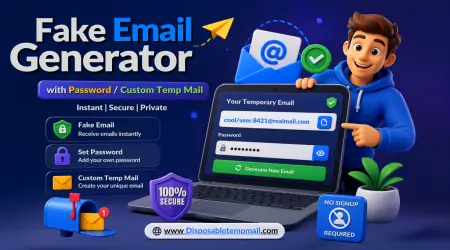
Zero Sign-Up
Live in Seconds
No Password
Fully Anonymous
Here's the annoying part about most "quick" online tasks: before you can even get to the thing you wanted, there's a registration wall in the way. Create an account, pick a password, confirm your email, maybe verify a phone number — all just to download one file or claim one discount. Temp mail without registration skips every bit of that. You land on the page, and the inbox is already sitting there waiting for you.
Let's get into exactly what "no registration" really means, how Disposable Temp Mail pulls it off technically, and when this kind of instant, anonymous inbox actually earns its place in your routine.
What Does "No Registration" Actually Mean?
Temp mail without registration means the inbox is created and handed to you automatically, with no form to fill out, no password to set, and no confirmation loop to complete. The moment you open the page, a mailbox already exists and is ready to receive mail — your browser session itself becomes the only thing tying you to that inbox.
Compare that to literally every other online account you've ever made. Even "quick" sign-ups usually want an email (ironic, for an email tool), a password, and sometimes a CAPTCHA just to prove you're human. No-registration temp mail cuts all of that because there's nothing to protect — no profile, no stored identity, nothing an account system would normally exist to guard.
The Old Way vs. The No-Registration Way
😩 Traditional Sign-Up
- ❌ Create a username & password
- ❌ Verify your real email to get... an email
- ❌ Confirm you're not a robot
- ❌ Wait for a welcome email you didn't want
- ❌ Remember to delete the account later
VS
⚡ No-Registration Temp Mail
- ✅ Inbox is ready the moment you arrive
- ✅ No password to create or remember
- ✅ No CAPTCHA, no verification loop
- ✅ Nothing to "welcome" you — straight to the inbox
- ✅ Auto-deletes itself, nothing to clean up later
How Disposable Temp Mail Skips Registration Completely
The mechanism is simpler than it sounds. When you land on Disposable Temp Mail, the server assigns a mailbox on the spot and links it to your current session — no account database entry required. That address can immediately receive real emails from any sender, exactly like a normal inbox would.
Retention is handled the same way regardless of registration: incoming messages clear out within 4 to 48 hours, and the mailbox itself stays reachable for 3 to 6 months if you bookmark or remember the address, even without ever logging into anything.
Getting Started: A Quick Walkthrough
Open the Page
That's genuinely the whole first step. Your inbox is generated automatically — no button to click, no form to submit.
Copy Your Address
The address is displayed instantly at the top of the screen, ready to copy into whatever form is asking for an email.
Paste It Anywhere
Use it on sign-up forms, download gates, or verification screens — it behaves exactly like a real email because it is one.
Watch Messages Arrive
Incoming mail shows up live on the same page. No login, no refresh — just check back and it's there.
Free Plan vs. Premium: Do You Even Need an Account?
Here's the interesting part — even premium features don't undo the no-registration philosophy for your day-to-day inbox use. An account only comes into play if you want to manage things at scale.
🆓 Free — No Account Needed
- Unlimited random & custom addresses
- 3–6 month mailbox validity
- Auto-delete within 4–48 hours
- Zero registration, zero login
💎 Premium — Optional Account
- Multiple inboxes generated at once
- Central dashboard for all addresses
- Manual cleanup scheduling
- Custom domains + full API access
Where This Actually Comes In Handy
- 🎟️ Claiming a one-time discount code without a marketing follow-up campaign
- 📥 Downloading a gated resource without agreeing to "create a free account first"
- 📶 Getting past a Wi-Fi portal that insists on an email before connecting
- 🧪 Quickly testing a signup flow without spinning up a real account
Frequently Asked Questions
Q Do I really not need to create an account at all?
A Correct — the free version of Disposable Temp Mail works entirely without an account. An inbox is generated the second you open the page.
Q How does the inbox know it's "mine" without a login?
A Your browser session links you to the address the moment it's created. As long as you keep the page or address handy, you can access it without any login step.
Q Can I come back to the same address later without registering?
A Yes, if you use a custom address and remember it. It stays reachable for 3 to 6 months, no login required to check it again.
Q Is a no-registration inbox less secure than a normal account?
A Not really — there's no personal data collected in the first place, so there's nothing sensitive tied to the inbox for anyone to compromise.
Q Do premium features require an account even though free doesn't?
A Yes, premium features like the multi-inbox dashboard and API access require an account, since they involve managing multiple addresses centrally over time.