Temp Mail vs. Real Email
Temp Mail vs Real Email: Which One Should You Use in 2026?
⚡ QUICK VERDICT
The 10-Second Rule
Use a Real Email for permanent identities, financial services, work communications, and trusted personal subscriptions. Use Temporary Mail for downloading free resources, signing up for unknown apps, avoiding unwanted marketing lists, or testing web projects safely.
Every time you land on a new website, you are asked for the exact same thing: "Enter your email address to continue."
Handing over your primary address to every platform asking for it turns your primary inbox into a messy dumping ground. Data breaches happen daily, and cross-site tracking builds detailed profiles on your personal online habits. That brings up an important question: Do you really need to use your real email address for everything?
Let's look at how standard email addresses compare to modern disposable tools so you can protect your digital footprint effectively.
What is a Real (Permanent) Email?
A real email address—like your standard Gmail, Outlook, or iCloud account—serves as your digital passport online. It is tied directly to your primary identity, personal credentials, and sensitive accounts.
Key Characteristics of Real Email:
- 🔒 Permanent Ownership: The account remains active indefinitely unless manually closed.
- 🔑 Identity Anchor: Serves as the primary recovery method for bank accounts, government tools, and primary services.
- ⚠️ High Spam Risk: Once your address leaks into marketing lists, removing it completely is nearly impossible.
What is Temporary Mail?
Temporary mail (also known as disposable email) provides immediate, burner email addresses that require no personal registration. Services like Disposable Temp Mail provide fully functional inboxes designed to receive messages without collecting your private details.
Unlike basic throwaway setups, advanced temporary email platforms offer extended control over your temporary setup:
- ⏳ Flexible Lifespans: Mailboxes stay assigned to your session for 3 to 6 months.
- 🧹 Auto-Cleaning Inboxes: Received messages are automatically cleared every 4 to 48 hours to preserve security.
- 🎯 Custom Handles & Multi-Inboxes: Pick custom usernames or manage several active inboxes simultaneously through premium features.
- ⚙️ Developer Tools: Access full API setups and custom domain integrations for streamlined testing.
Data Exposure Comparison: Real Email vs. Disposable Mail
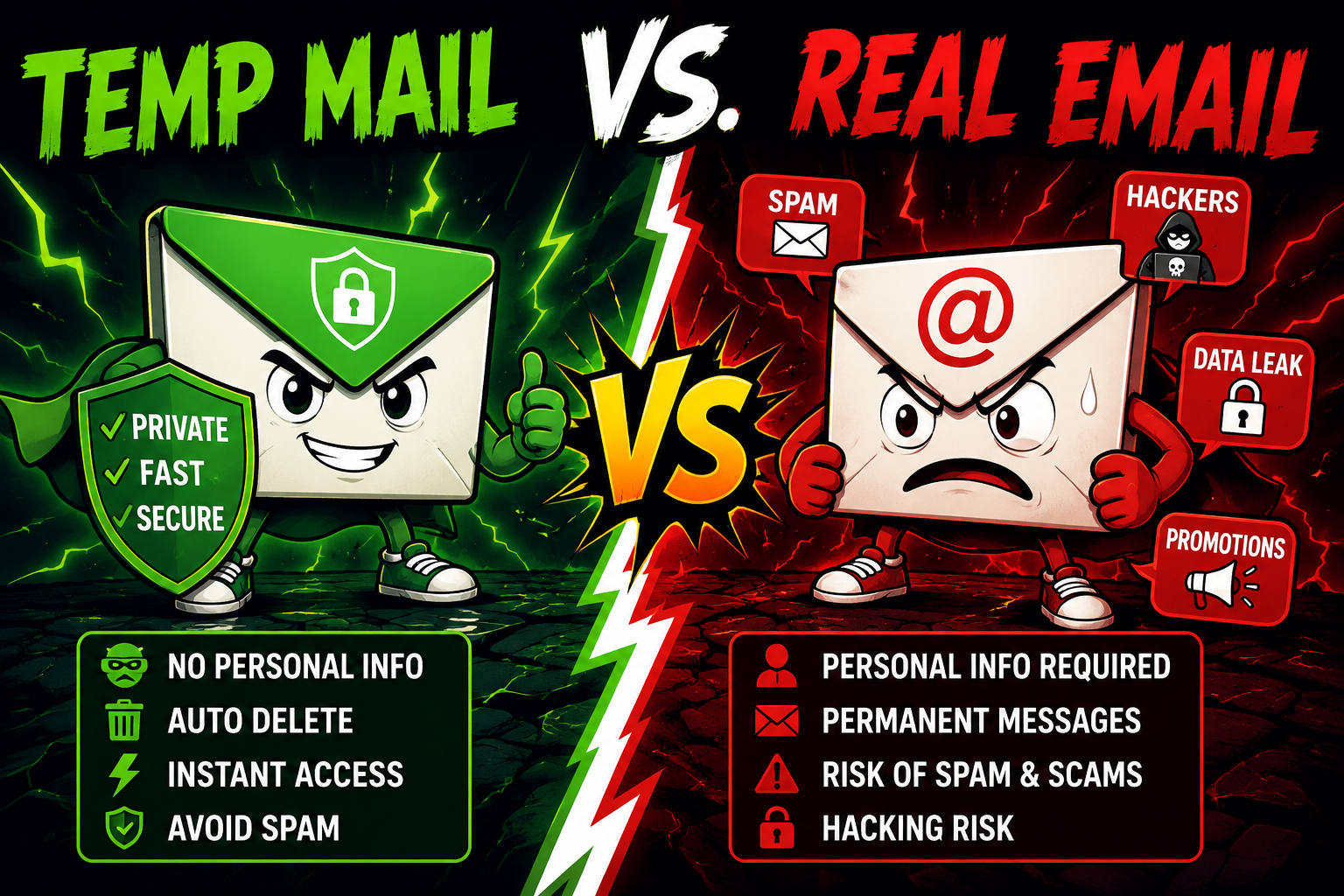
Visual diagram demonstrating how primary emails expose personal identities compared to disposable email firewalls.
Head-to-Head Comparison Matrix
| Feature | Real Email Account | Disposable Temp Mail |
|---|---|---|
| Longevity | Permanent (Lifetime) | 3–6 Months (Mailbox active period) |
| Message Retention | Indefinite (Until deleted) | Auto-purged within 4 to 48 hours |
| Privacy Protection | Low (Linked to real identity) | High (100% Anonymous, no setup needed) |
| Setup Time | 2–5 Minutes (Requires verification) | Instant (1-Click generation) |
| Spam Exposure | High risk of permanent clutter | Zero risk (Self-cleaning) |
| Customization | Fixed username | Random or fully Custom Handles |
| Developer Options | Restricted API options | Full API access & Custom Domains |
When to Use Which?
🔴 Use Real Email For:
- Banking & Financial portals
- Official work and client emails
- Primary social media accounts
- Medical records & Legal docs
- Long-term software subscriptions
🟢 Use Temp Mail For:
- Downloading e-books & whitepapers
- Signing up for public Wi-Fi networks
- Testing unknown apps or tools
- One-time promo discount codes
- QA engineering & API testing
How Disposable Temp Mail Protects Your Personal Inbox
Step 1: Create Custom Mail -> Step 2: Receive Verification Code -> Step 3: Message Auto-Deletes
The Dual-Strategy: Protecting Your Privacy
You don't have to pick just one option. The most effective approach online is using a hybrid strategy:
Keep a primary email account strictly for vital, secure platforms. For everything else—one-off site access, trial signups, app reviews, or untrusted forms—route incoming messages through an anonymous temporary mail generator.
By using Disposable Temp Mail as a buffer, you keep marketing trackers out of your primary mailbox while retaining full control over custom handles, manual inbox purges, and API access whenever you need them.
Frequently Asked Questions
Is using a temporary mail service safe? ▼
Yes! Temporary mail services do not ask for any personal details to create an inbox. Because emails auto-delete in 4 to 48 hours on Disposable Temp Mail, old messages won't linger online long-term.
Can I recover a password using a temp email address later on? ▼
Because inbox contents clear every 4 to 48 hours, temporary mail is not recommended for accounts you plan to use long-term. However, your generated address stays accessible on Disposable Temp Mail for 3 to 6 months to collect short-term follow-up messages.
What is the difference between a Random and Custom temporary email address? ▼
A random temporary email generates an instant string of characters automatically. A custom temporary email lets you choose a specific username handle (like yourname@domain.com) for a more recognizable inbox structure.